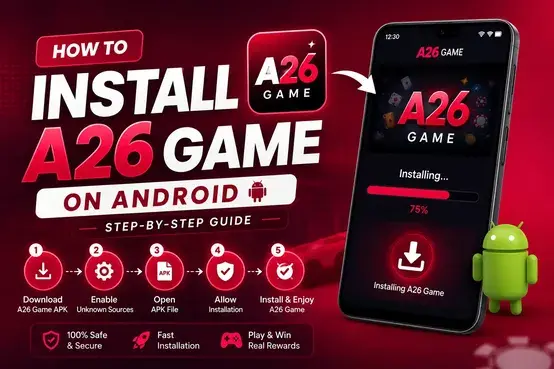
How to Install A26 Game APK on Android – Step-by-Step Guide
Installing an Android application from an APK file involves downloading the file, checking its source, and following your device’s installation instructions. This How to Install A26 Game APK guide explains each step for Android users in Pakistan, including how to locate the downloaded file, manage installation permissions, open the app, and troubleshoot common errors.
The exact menus may differ depending on your Android version and phone manufacturer. Before installing, verify that the APK comes from a source you trust and that your device meets the application’s current requirements.
If you still need the installation file, first visit our Download A26 Game APK page. This guide focuses on the installation process after the file has been downloaded.
Requirements Before Installing A26 Game APK
Before you begin, check the following requirements:
- Compatible Android device: Confirm that your phone supports the application’s current Android requirements.
- Downloaded APK file: Make sure the download has finished and the file is accessible on your device.
- Available storage: Keep enough free space for the downloaded file and installation.
- Installation permission: Android may require permission for the browser or file manager used to open an APK from outside an approved app store.
- Internet connection: A connection may be needed to download the file and use the app after installation.
- Trusted source: Check the file’s origin and avoid modified APKs or suspicious download links.
Do not assume that every APK available online is genuine or safe. If you cannot verify the file’s source, do not proceed with the installation.
How to Install A26 Game APK on Android
Follow these steps to install the downloaded APK on a compatible Android phone.
Step 1: Download the APK File
If you have not downloaded the application yet, open the A26 Game APK download page.
Review the available file information and select the appropriate download option. Wait until the download is complete before attempting installation.
Avoid opening unexpected APK files received through unsolicited messages, pop-ups, or unfamiliar file-sharing services.
Step 2: Open Your Downloads Folder
On your Android phone, open the Files, My Files, or another trusted file manager.
Navigate to the Downloads folder and locate the A26 Game APK file. If you cannot find it, open your browser’s downloads list and check where the file was saved.
Make sure you select the intended APK file rather than an unrelated download.
Step 3: Tap the APK File
Tap the downloaded APK to start the installation process.
Depending on your device, Android may display an installation screen, a security warning, or a message explaining that your phone does not currently allow installations from that source.
Read the message before continuing. If Android identifies a potential threat or the file appears suspicious, stop rather than bypassing the warning.
Step 4: Allow Installation From the Selected Source if Required
Some Android devices require you to authorize the specific application that opens the APK, such as your browser or file manager.
If the installation is blocked because this permission is disabled:
- Open the settings option shown in the installation message.
- Find the permission to install unknown apps, if available.
- Check that the requesting application is the browser or file manager you intended to use.
- Enable the permission only if you trust the APK and its source.
- Return to the installation screen.
The location and wording of this setting vary by Android version and manufacturer. You do not need to enable this permission if your device does not request it.
For security, disable the permission again after installation if you no longer need it.
Step 5: Install the Application
Return to the APK file or installation screen and tap Install if Android allows you to proceed.
Wait for the installation process to finish. Do not interrupt the process by closing the installation screen or restarting your phone unnecessarily.
If Android displays an error, note the exact message. It can help you identify whether the problem relates to compatibility, storage, the APK file, or an existing installation.
Step 6: Open A26 Game
After successful installation, tap Open if the option appears. Otherwise, return to your app drawer and look for the installed application.
Follow the instructions displayed by the app. If you are asked to create an account, see our A26 Game Registration Guide.
If you already have an account, use the available sign-in option or follow our A26 Game Login Guide.
Never share your password, OTP, or other confidential account information with someone offering unofficial installation assistance.
How to Install A26 Game on Different Android Phones
The general APK installation process is similar across Android devices, but the settings menus may differ.
Samsung Phones
Open My Files, locate the downloaded APK, and tap it. If Android requests permission to install unknown apps, follow the displayed instructions for the application you are using to open the file.
Xiaomi, Redmi, and POCO Phones
Open your file manager and locate the APK. Follow the installation prompts shown by your device. Security settings and menu names can vary by model and software version.
Other Android Phones
Open the Downloads folder, select the APK, and follow the installation instructions. If your phone blocks the installation, review the reason shown on screen before changing any settings.
These instructions are general Android guidance, not confirmation that the A26 Game application has been tested on every phone model.
A26 Game APK Not Installing? Common Solutions
If installation fails, use the error message to identify the likely cause.
1. App Not Installed Error
This message can appear when an APK is incompatible, incomplete, or in conflict with an existing app installation.
Try these checks:
- Confirm that the download completed successfully.
- Check your phone’s Android compatibility.
- Make sure sufficient storage is available.
- Verify that you downloaded the intended APK.
- Check whether an existing installation is causing a conflict.
Do not uninstall an existing application immediately if it contains data you need. Uninstalling may remove locally stored information.
2. Installation Is Blocked
Android may block an APK because the installation permission is disabled or a security feature has identified a concern.
Check which application is requesting permission and why the installation was blocked. Only authorize a trusted source when you understand the risk. Do not disable device security protections just to force an installation.
3. APK File Is Not Opening
If tapping the APK does nothing, return to the Downloads folder and check the file.
The download may be incomplete, the file may not be a valid APK, or the file manager may be unable to open it correctly. If you cannot verify the file, delete it and obtain a valid copy from a source you trust.
4. Not Enough Storage Space
Check the available storage in your phone’s settings. Remove unnecessary files or applications if needed, while preserving important personal data.
Try the installation again after sufficient space is available.
5. App Crashes After Installation
If the app installs but does not open correctly, restart your phone and check your internet connection.
You can also check whether the application is compatible with your Android version and whether a newer compatible release is available from a trusted source.
Avoid downloading random replacement APKs from unfamiliar websites.
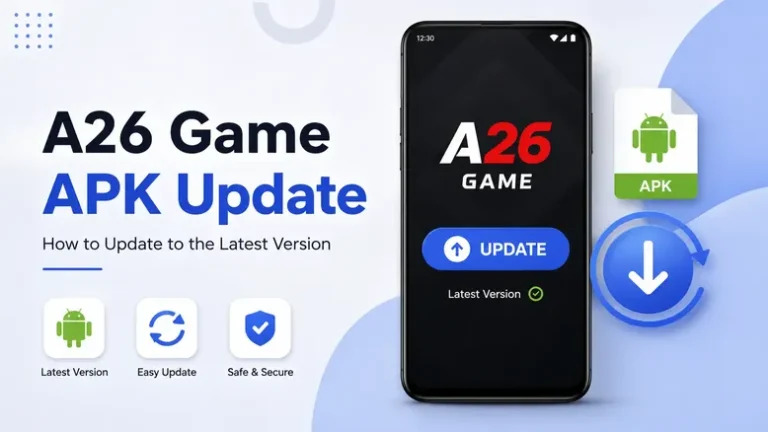
How to Update A26 Game After Installation
If you already installed A26 Game and a newer version becomes available, check the current version information and confirm that the replacement APK comes from a trusted source.
Before updating:
- Check the installed app version in your phone settings, if available.
- Compare it with the version information provided by your download source.
- Confirm Android compatibility and available storage.
- Keep your account credentials secure.
- Follow the installation prompts for the compatible update.
Android may allow a compatible update to be installed over the existing app. If the update fails, do not immediately uninstall the current version, because doing so may remove local data.
A26 Game APK Installation Safety Tips
Installing APK files outside an approved app store requires additional care. Follow these precautions before and after installation:
- Verify the source of the APK before opening it.
- Check the application name and available version information.
- Avoid modified, repackaged, or suspicious APK files.
- Review the permissions requested by the application.
- Keep Android security features enabled.
- Do not provide account credentials through unrelated websites.
- Keep your phone’s operating system updated.
- Stop if the installation process requests unusual access that you do not understand.
If the app offers real-money gaming or wagering, understand that financial losses are possible. Registration or installation does not guarantee winnings or income. Check applicable age requirements, platform terms, and local laws before using such services.
Frequently Asked Questions
How do I install A26 Game APK on Android?
Download the APK from a source you trust, locate it in your Downloads folder, open the file, follow any required Android installation prompts, and tap Install if permitted. Open the app after installation finishes.
Why is A26 Game APK not installing on my phone?
Common causes include an incomplete download, insufficient storage, Android incompatibility, installation permissions, or a conflict with an existing app. Check the displayed error before trying again.
Do I need to enable unknown app installation?
Only if Android requires it for the application you are using to open the APK. Allow the permission only for a source you trust, and turn it off again when it is no longer needed.
Can I install A26 Game without Google Play?
Android supports manual APK installation in certain circumstances. However, you should verify the source, review security warnings, and check the file’s compatibility before proceeding.
What should I do if the APK file is corrupted?
Stop the installation and remove the unusable file. Download a fresh copy only from a source you trust, and check that the download completes correctly.
Can I install A26 Game on an iPhone?
No. An Android APK cannot be installed directly on an iPhone or iPad. A separate compatible iOS release would be required.
Do I need to register after installing A26 Game?
If the app requires an account, follow its available signup process. New users can read our A26 Game Registration Guide, while existing users can follow the A26 Game Login Guide.
How can I update A26 Game APK?
Check the installed version, verify the newer APK’s source and compatibility, and follow Android’s installation instructions for the update. See our dedicated update guide for more details.
Final Thoughts
Installing the A26 Game APK on Android generally involves locating the downloaded file, checking the source, following any required installation permissions, and completing the Android installation process.
If installation fails, check the error message, device compatibility, available storage, and APK integrity before trying again. Use a trusted source, keep your device security protections enabled, and follow the application’s current instructions.